Code Land: Coding for Kids
- 4.3
- Rating
- 500.00K
- Installs
- Free
- Price

 Analysis by App-foxy
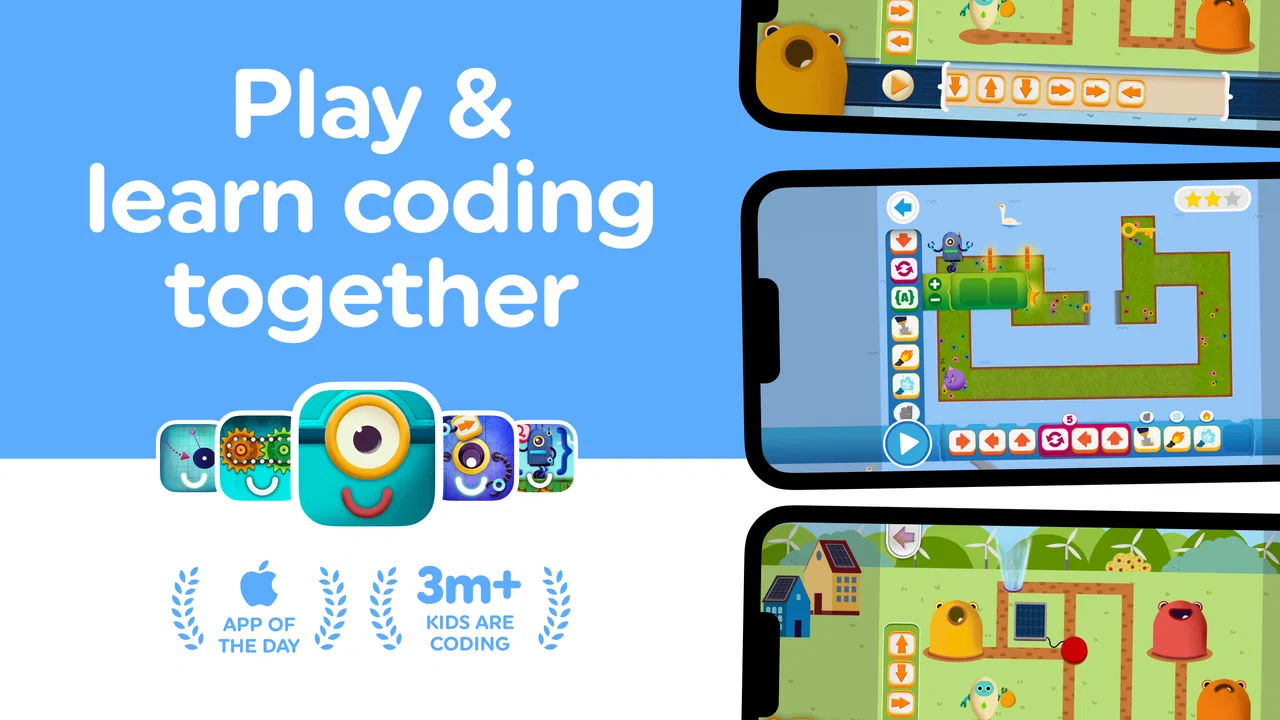
I spent time with Code Land: Coding for Kids as an educational game aimed at introducing children to logic and beginner-friendly coding ideas. My overall impression is that it works best as a calm, guided activity rather than as a complete programming course. It gives children a playful way to think about instructions, order, patterns, and problem solving, while parents can use it as a short learning session instead of handing over a general-purpose game.
The game comes from Learny Land and is free to start, with optional in-app purchases ranging from $1.49 to $49.99 per item. It is rated for Everyone, and the audience is clearly younger children who need visual, approachable challenges rather than text-heavy lessons. Its average rating is 4.6 from around 2.9 thousand ratings, and it has passed half a million installs, which gives it a useful level of visibility among children’s learning games.
How the learning experience feels in everyday use
The strongest part of the experience is the way coding ideas can be presented as actions instead of abstract computer terminology. A child does not need to understand a programming language before beginning. The focus is on deciding what should happen first, what should happen next, and how a mistake in the sequence changes the result. That makes the game approachable for a child who has never touched coding before.
You May Also Like

 Blood Strike: 2.5 Anniversary
Blood Strike’s Loadouts Turn Every Drop Into a Tactical Gamble
A close look at Blood Strike’s custom loadouts: how fast access to signature weapons reshapes its battle royale rhythm, rewards preparation, and narrows the gap between fights.

 Pandora - Music & Podcasts
Pandora’s Music Is Easy to Start, but Harder to Recover
Pandora’s strength is its low-effort path from a seed to a station. Its weak spot is how much confidence it asks you to place in connection, setup, and quiet recovery.

 8 Ball Pool
 Is Built on Rivalries, Rematches, and Routine
A close look at the rivalries, rematches, shared routines, and unanswered safety questions that turn a quick pool match into a persistent mobile community.

 Samsung Music
’s Quiet Strength Is Playing What You Already Own
Its reach comes less from spectacle than from dependable access to a personal library. That simplicity is both the app’s strongest retention engine and its ceiling.

 AccuWeather: Weather Radar
AccuWeather Review: A Quick, Clear Forecast for Everyday Decisions
For everyday plans, the best forecast is the one you can understand quickly. AccuWeather makes rain timing, radar, and local conditions easy to act on, with a few trade-offs.

 Hill Climb Racing
Why Hill Climb Racing Still Turns Crashes Into One More Run
A tiny car, a bumpy hill and one more upgrade: Hill Climb Racing keeps resurfacing because its simple chaos makes every near-miss feel personal.
More From Our News Desk
View All News


I would use it during a short after-school break, especially when a child wants screen time but I still want the activity to have a clear learning purpose. A practical routine would be to let the child try a small group of challenges independently, then ask them to explain why a solution worked. That conversation is important: the game can present the puzzle, but an adult can help turn a successful tap into a real lesson about planning and debugging.
The experience is also suitable for children who enjoy puzzles more than traditional classroom exercises. Some children resist worksheets because they feel like extra schoolwork, yet they will happily work through a visual challenge. In that situation, the game’s value is not just entertainment. It creates a low-pressure setting where repeating a level or changing one step feels like experimentation rather than correction.
What to expect from the pace
Code Land is not the kind of game I would choose for rapid action or constant visual stimulation. Its useful pace comes from giving the player time to inspect a problem and decide on a sequence. That slower rhythm is appropriate for an educational title, because rushing would undermine the reasoning it is trying to encourage.
On a compatible device, I would expect the basic interaction to feel straightforward for its intended audience, but the exact experience will still depend on the phone or tablet. Older hardware can make any children’s game feel less comfortable if touch input is delayed or the screen is small. For a young child, even a minor delay can look like a mistake in their own answer, so a responsive touchscreen matters more here than it might in a casual adult puzzle.
The game is built for devices running Android 7.0 or later. That gives it a broad compatibility range, but compatibility alone does not guarantee an equally pleasant experience on every device. A newer tablet with a larger display is likely to be easier for small hands and developing reading skills than an older phone, even when both can install the game.
Where heavier use can reveal friction
A short session is the natural fit, but families may sometimes use the game repeatedly during travel, quiet time, or a long wait. In those moments, the main pressure is less about demanding graphics and more about attention. Children can become frustrated if they repeat similar challenges without understanding what changed, so I recommend staying nearby when the difficulty begins to rise.
One useful approach is to avoid treating every failed attempt as something to solve immediately. Ask the child to point out the first step where the plan goes wrong. That turns the retry into a deliberate debugging exercise. It also reduces the temptation to take over the device and solve everything for them. The game is most valuable when the child remains the person making and testing the decisions.
Repeated use also makes the purchase structure more relevant. The game is free, which makes it easy to test whether the style suits a child before spending anything. However, families should look at any optional purchase carefully and decide in advance whether paid content fits their budget and expectations. The listed individual purchase range extends from $1.49 to $49.99, so the difference between a small add-on and a larger purchase is significant. I would not leave that decision entirely to a young player.
This is one of the less obvious trade-offs: free entry lowers the barrier to trying the game, but the family experience still benefits from an adult setting boundaries around purchases. That is not a criticism of the educational idea itself; it is simply part of using a children’s app responsibly.
Stability, recovery, and the parent’s role
For a learning game, reliability means more than avoiding crashes. It also means a child can return to an activity without feeling lost, and that a brief interruption does not turn a productive session into an argument. I found that the best recovery strategy is to treat each play period as a small lesson rather than expecting a long uninterrupted run.
If a child is interrupted, I would encourage them to describe the puzzle they were working on before switching activities. That simple habit helps preserve the reasoning process even when the device session ends unexpectedly. It also makes the game less dependent on uninterrupted screen time, which is useful for families who share one device or keep children’s sessions short.
The current version is 2026.02.00, so users should keep the app environment reasonably current when possible. I would also test it personally before giving a child unsupervised access, particularly on an older device. That quick check can reveal whether the controls are comfortable, whether the display is large enough, and whether the purchase flow needs an adult rule.
I would not describe this as a game that needs a powerful device. Its educational focus suggests that the important experience is the interaction with the puzzles, not high-end visual performance. Still, resource demands are only one part of comfort. A small screen, tired battery, crowded storage, or an aging touchscreen can matter more to a young learner than raw processing power.
Device choice makes a real difference
A tablet is the better choice for most children because it gives them more room to see the problem and manipulate the elements without accidental taps. A phone can work for a quick try, but I would be more cautious about using it for extended learning sessions. Small controls can cause unnecessary frustration, especially for children still developing fine motor control.
Android 7.0 support means the game can suit families with older devices, yet I would separate “can install” from “is ideal to use.” If the device already struggles with ordinary touch interactions, the game may not feel dependable enough for independent play. A child should be able to tell whether a solution failed because of their plan, not because the screen missed a tap.
Parents should also think about the physical setting. On a car journey, glare and movement can make a thoughtful puzzle harder than it would be at a table. At home, placing the tablet flat and sitting beside the child can make the activity feel more like a shared puzzle session. That small change improves the learning value because the adult can ask questions without interrupting the child’s control of the game.
For children who need accessibility support, the practical question is whether the particular device and display setup make the visual interactions easy to distinguish. I would test that directly with the child rather than assuming that an Everyone rating means every child will find the interface equally comfortable. The age rating describes broad suitability, not a guarantee that every learner has the same visual, motor, or attention needs.
How it compares with familiar alternatives
Compared with a coding worksheet, this game is more inviting and easier to repeat. A worksheet can be better when a teacher or parent wants a written record of the child’s reasoning, but it lacks the immediate interactive response that helps children understand cause and effect. Code Land is stronger for practice and exploration; paper is stronger for documenting an explanation.
Compared with open-ended programming tools, it is less intimidating for a beginner. A full coding environment gives children more creative freedom, but it can also introduce too many choices before they understand sequencing and logic. This game is a better starting point for a child who needs structure. Once that child begins asking how to create their own projects, a more flexible coding tool may become the better next step.
Compared with ordinary puzzle games, it has a clearer educational purpose. A regular puzzle may offer deeper challenge or more variety, while this title is more useful when the goal is to build early computational thinking. I would choose it for a child who benefits from guided progression, not for an older player looking for complex programming or a broad competitive system.
That distinction matters because “coding for kids” can mean very different things. Here, the emphasis is on accessible logic and scratch-style beginner concepts, not on teaching children to write professional code. Parents should see it as an introduction and practice space, not as a replacement for a structured computer science curriculum.
Who will get the most from it
I think the game is a good match for children who enjoy visual puzzles, need a gentle entry into coding, or benefit from learning through trial and correction. It can also work well for a parent who wants a shared activity with a clear topic to discuss. The most effective sessions are not necessarily the longest ones. A focused period followed by a conversation about the child’s choices can be more valuable than leaving the game running for an entire afternoon.
Teachers and tutors may also find it useful as an informal introduction before moving to more advanced activities. A child who can explain a sequence in this setting may be ready to draw instructions on paper or explore a more open coding environment. The game can therefore serve as a bridge between ordinary play and more deliberate lessons.
I would skip it if the child is looking for unrestricted creative coding, complex projects, or a game with a strong competitive challenge. I would also skip it as a primary learning tool for a child who becomes upset by repeated trial and error unless an adult is ready to guide the process. The game can support patience, but it cannot replace personal teaching when a child needs a different explanation.
My final performance and learning verdict
After considering speed, device demands, repeated use, and recovery from interruptions, I see Code Land as a lightweight educational game whose success depends more on fit than on technical spectacle. It does not need to be the most demanding app on a device. It needs to make each decision understandable enough that a child can learn from the result.
The free starting point is helpful, the Everyone rating makes its intended audience clear, and Learny Land has created something more purposeful than a generic children’s puzzle. The main cautions are practical: use a comfortable screen, supervise purchase decisions, and stay involved when the puzzles become confusing. Those steps prevent the common problem of turning a learning activity into passive tapping.
My recommendation is to try it with a child in short, shared sessions first. If the child enjoys explaining sequences and testing different solutions, it can become a useful introduction to coding logic. If they want to build freely or need a more advanced challenge, move on to a broader programming option. For beginners who need a friendly first contact with computational thinking, this is a sensible and approachable place to start.
FAQs for Code Land: Coding for Kids
01What is Code Land: Coding for Kids?
Code Land: Coding for Kids is an educational app designed to introduce children to the basics of coding through fun and interactive games. It provides a range of puzzles and challenges that help develop problem-solving skills and logical thinking, making it a great tool for young learners interested in technology.
02Is Code Land suitable for all age groups?
Code Land is primarily targeted at children aged 5 to 12. The app features age-appropriate content and exercises that gradually increase in complexity, ensuring kids are challenged without feeling overwhelmed. Parents can also monitor progress and adjust difficulty levels as needed.
03Does Code Land require an internet connection?
Code Land can be used both online and offline. While an internet connection is needed for initial download and updates, many of the app's features and games can be accessed offline, allowing children to learn and play without needing constant connectivity.
04Are there any in-app purchases or ads in Code Land?
Code Land offers a safe, ad-free environment for children. While the app may offer additional content through in-app purchases, these are optional, and the core educational features are fully accessible without extra costs. Parents can control purchasing settings through device restrictions.
05How does Code Land ensure the safety and privacy of children?
Code Land prioritizes the safety and privacy of its young users. It complies with COPPA and GDPR regulations, ensuring that no personal data is collected from children. Parental controls are available to help manage app usage, providing a secure learning environment for kids.
Pros
- Engaging and colorful interface.
- Interactive lessons for young learners.
- Builds foundational coding skills.
- Encourages problem-solving and logic.
- Child-friendly tutorials and support.
Cons
- Limited advanced coding concepts.
- Requires parental guidance for setup.
- In-app purchases can be frequent.
- Might be too basic for older kids.
- Limited offline functionality.

Code Land: Coding for Kids
Gallery